Graphics
Projector
Setup Options:
Option 1: Graphics With On-board 5 mW HeNe (
Quick & Dim )
Option
2:
Graphics Off The Table ( Slower Setup & Bright )
Computer
Setup:
(Required)
1) Place WYSE
Terminal On Control Land Table.
2) Open Silver
Briefcase, Locate Black A.C. Cord And Plug Into Back Of
WYSE Terminal
3) Locate & Use
"Male To Male" Adaptor Or DB25 6' Beige Cable,
And Plug Into MODEM On Back Of WYSE Terminal.
4) Plug In Keyboard
To Back Of WYSE Terminal
5) Plug 100' Ribbon
Cable Into 6' Male To Male Adaptor Or Cable, And Run To
Stage Do Not Power Up WYSE.
Option 1: Graphics Projector - (Using
On-board 5mW HeNe):
1) Position 20' Or
More In Front Of Projection Surface (10' Throw=5' Image)
2) Connect Ribbon
Cable Into Port On Side Of Stingray= (Black Scanner Amp
Box) Using Male To Male DB25 Gender Bender Connector.
3) Plug Projector Into
120 VAC.
4) Locate Key In
Silver Briefcase, And Power Up Stingray.
& Turn On WYSE Terminal.
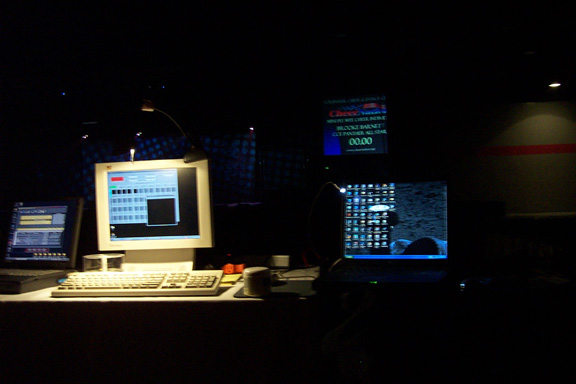
Note: If WYSE Does Not Respond. Press
RESET On Stingray Or Type "RESET" On WYSE Press
RETURN
Screen Should Display Parameters (Refer To
"ZAP" Manual For Programming).
Option 2: Graphics Off The Table:
(Based on D.S. Projection Direction)
1) Position Stingray
On A Milk Crate, Against The Upstage Side Of The Table,
Aperture Window Facing Forward.
2) Turn Up Last Beam
Position On Table Ch.15.
3) Facing U.S. Hit
Pos.15's MM1 90 Degrees Up To The Sky.
4) Position a 4"
Stand Off Post Approximately 5" To The Left Of Beam.
5) Carefully Open
Stingray Housing.
Using "T" Wrench, Carefully Remove Scanner Set
From Stingray. Mount Scanner Set On Top Of 4" Stand
Off Post Using 8/32 Nut.
6) Mount 6" Stand
Off Post To The Right Of Vertical Beam And Scanner Set.
7) Using 3"
Offset Post, Mount An 2nd MM1 To The End. Use Swivel Arm
Adaptor To Connect The 3" Stand Off Post To 6"
Post. Making a "T".
8) Direct Beam So It
Hits The 2nd MM1.
9) Next Direct The
Beam So That It Enters The Scanner Aperture Horizontally
To The Left.
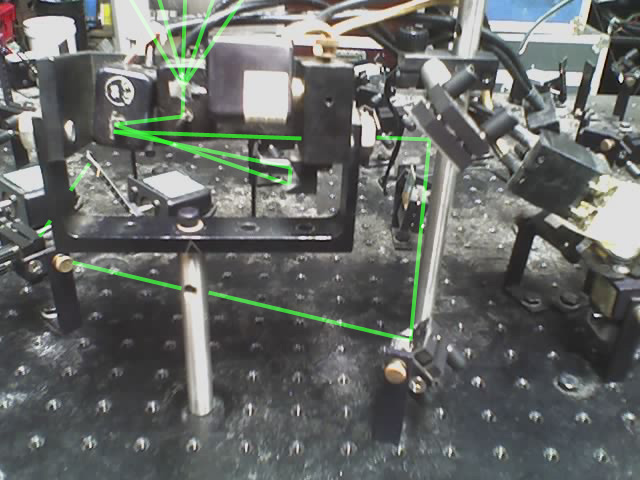
Note: All Beam Bounces
Should Be As Close To 90 Degrees As Possible. ( It Will
Take You Some Time To Align 2 Sets Of MM1's - So Be Very
Patient ).
Alignment Summary:
Should Have A Total Of: 2 MM1's ( 3 MM1's If Projecting
U.S. )
3 Stand Off Posts (2 Vertical / 1Horizontal)
Position/Channel 15 Beam To 1st MM1 Up. Next Hit 2nd MM1
To The Left Into The Scan Set. ( If U.S. Projecting
Reverse The Scanner Set On Table, 2nd Will Be Up, 3rd
Will Go Right Into Scanner Set ).
|